CAMRA FESTIVAL BUSINESS PLANNER
Turning an excel spreadsheet into a simple form filling website for festival organisers
Collaborators
CAMRA Branch Volunteers, CAMRA Finance Team, Project Manager, DevelopersCategory
Website DesignDate
Jan 9, 2023 - Apr 17, 2023My Role
UX Designer, UI Designer, User Research, Product DesignerCAMRA holds 150 festivals annually across the UK attracting over 400,000 visitors. These are organised by the CAMRA Branch Volunteers and assessed by the CAMRA Finance team.

The CAMRA Volunteer Organisers must submit an existing excel form with information of contact details, budgets and other details.

Upon completion, this gets sent to the CAMRA Finance Assessors to approve or disprove the information for the festival.
🤔 Problem
Using Excel is inefficient to plan a festival
When a CAMRA Volunteer Organisers wants to plan a festival and budgets, long and complicated excel forms would be sent to them; how would they know how to use it? As they have varying levels of tech proficiency.
The CAMRA Finance Assessors would onboard and answer questions as the volunteer fills the form out key information spread across multiple sites
✅ Solution
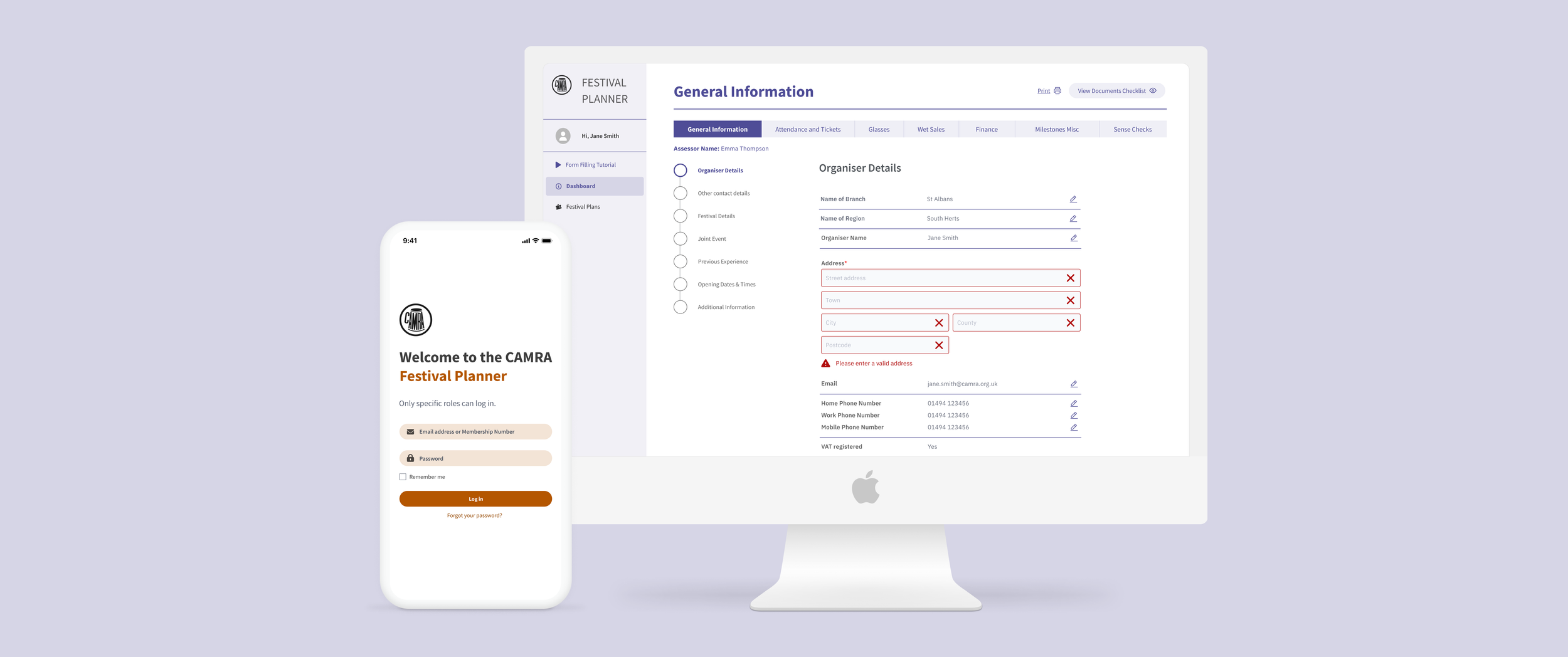
Design a simple website form called the Festival Business Planner for Finance team admins and festival organiser volunteers to use.
This web form allows users to update or add information incrementally. By enabling live, real-time updates, solves the problem of delayed communication, ensuring faster decision-making and better coordination across teams.
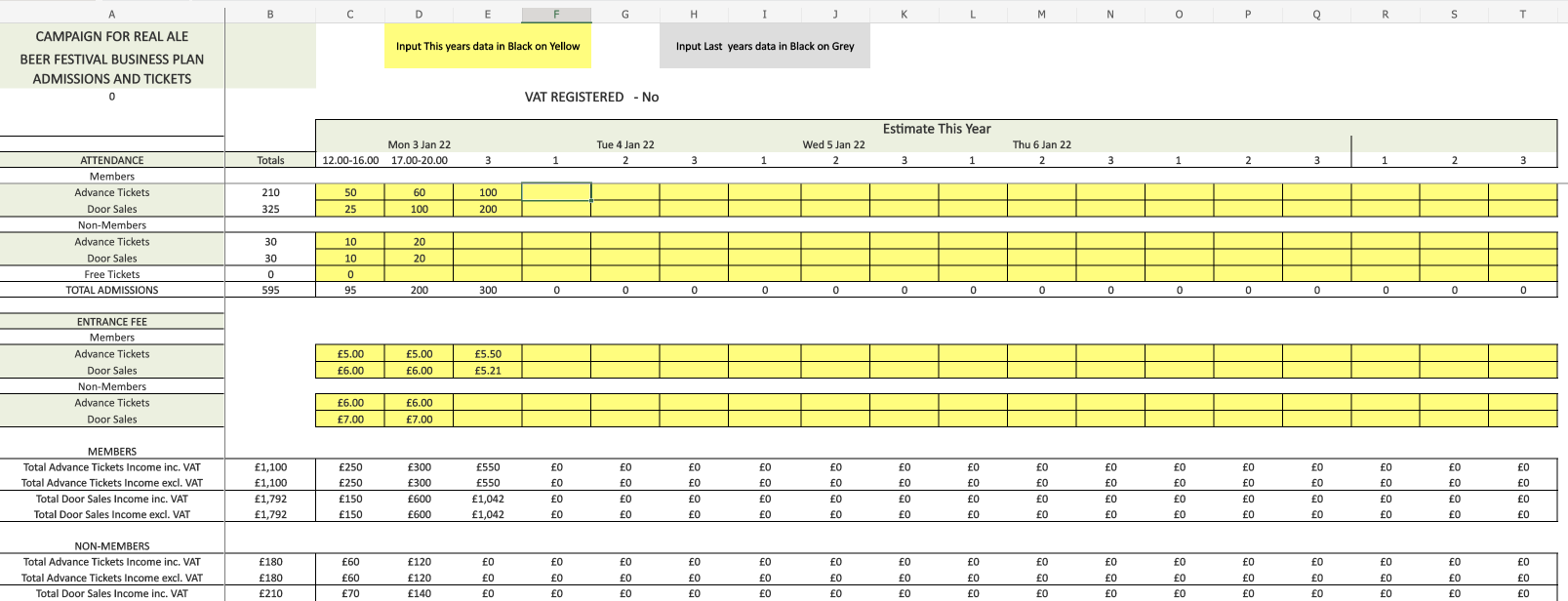
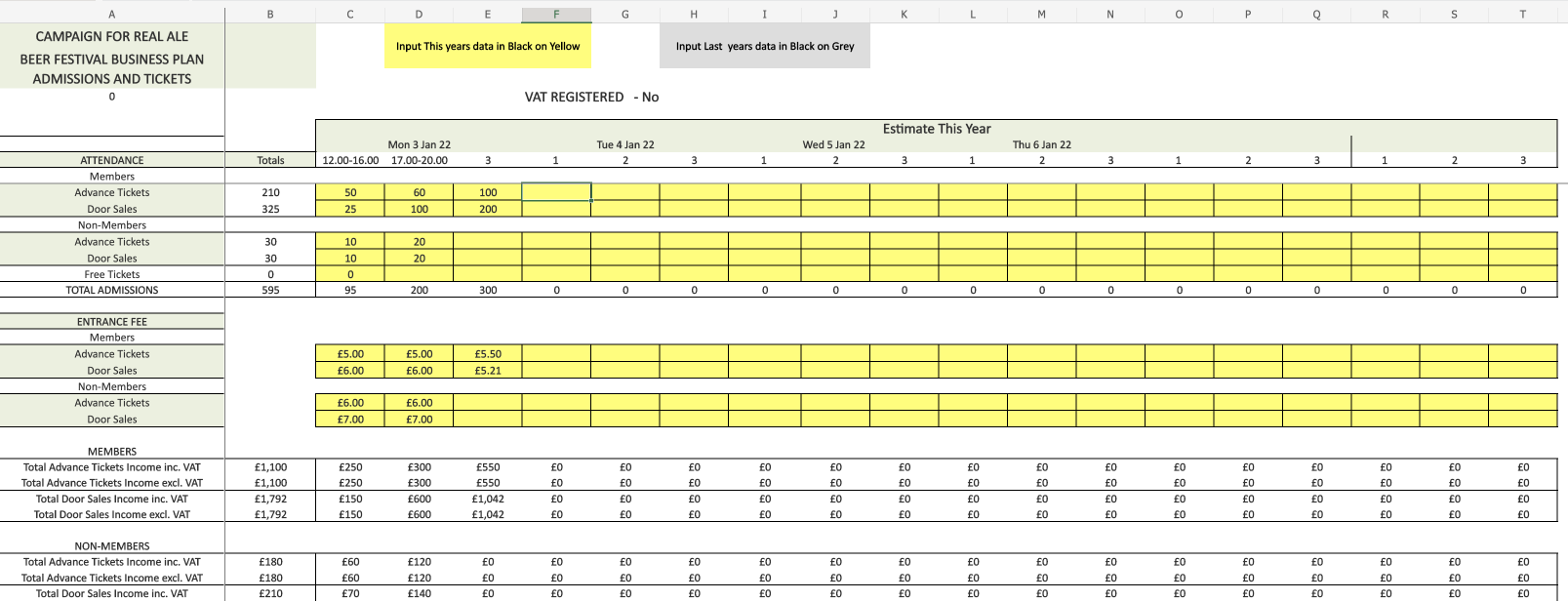
Previous festival planner form
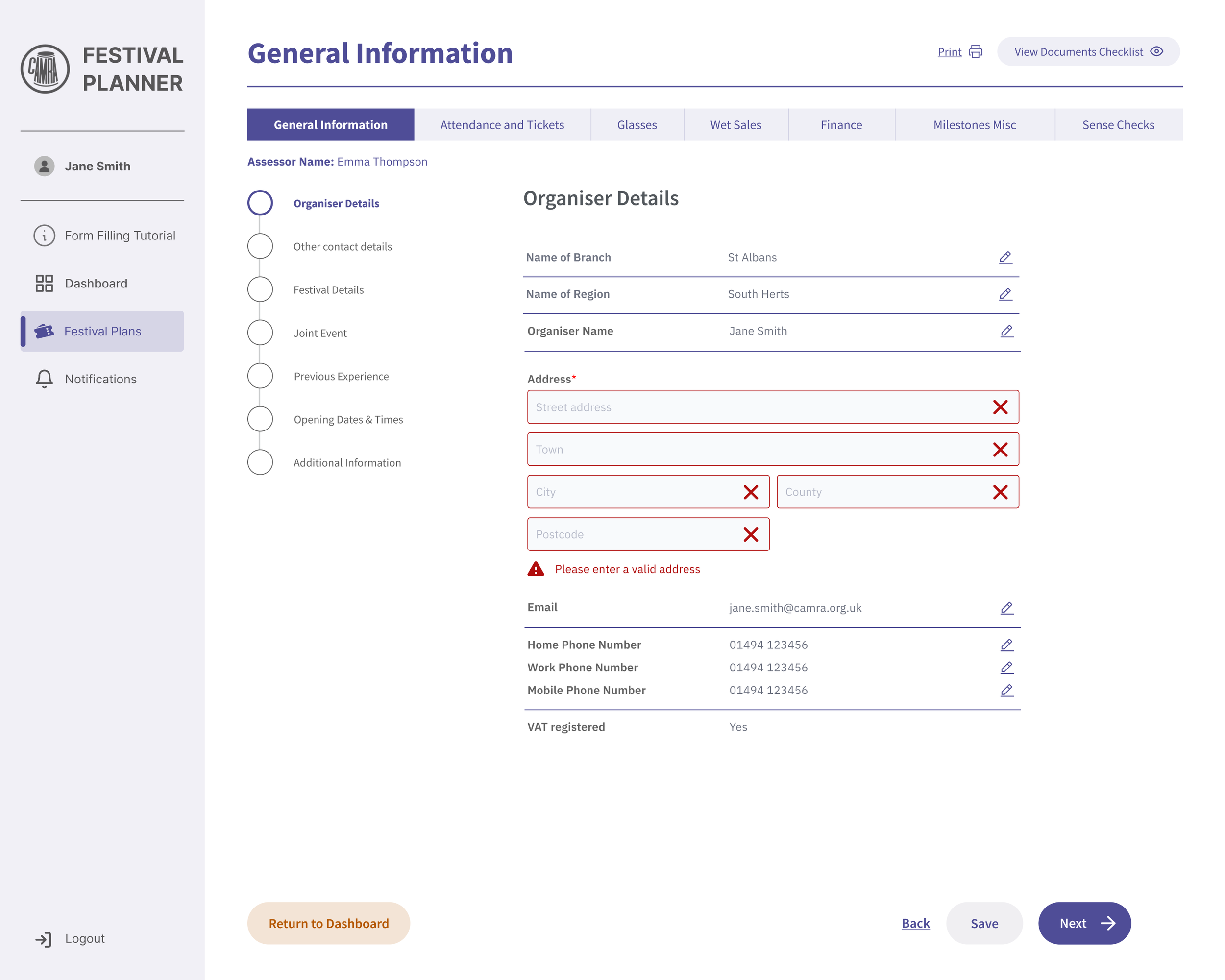
Current festival planner form
Design process
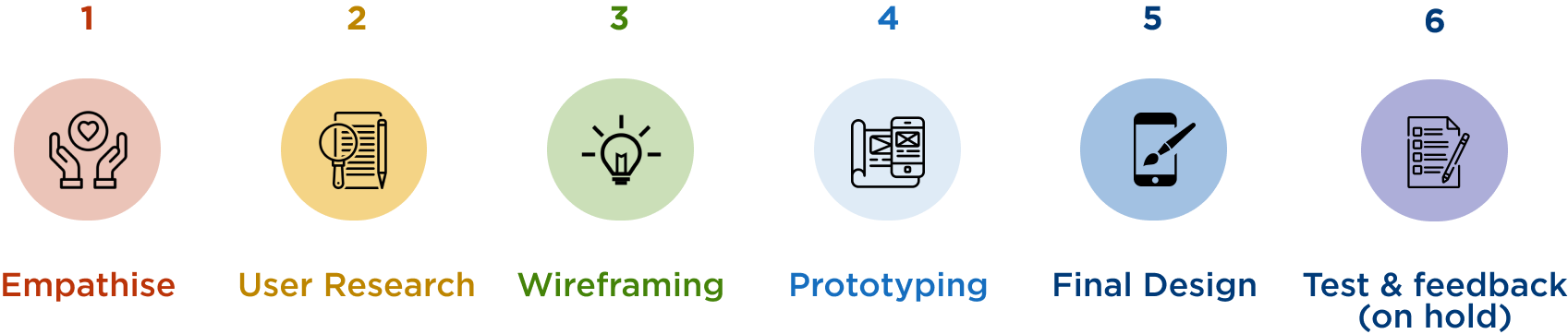
User Research
Stakeholder interview
Two of the stakeholders fall within our target audience, being a man and a woman in their 50s. The man is a CAMRA Branch Festival Organiser and the woman, a member of the Finance Team, they work closely with the other volunteers and conducted regular meetings for any enquiries I had.
CAMRA Branch Festival Organiser interview
“As a first time user:
I want to understand how I create a new business plan
I want to see information on how the process works, and what is different about filling it out online
I want the ability to start a new “business plan””
“As a user who has used the system before:
I want to see my previous festival plans
I want to see the status of any plans I’ve created
I want the ability to find/see edit an existing in progress plan
I want to easily see any feedback I’ve had on my business plan”
Research findings
Out of 150 CAMRA beer festival organisers, 45% of the CAMRA beer festival organisers demographic are middle-aged men (65+) who are pub and beer enthusiasts.
Wireframes
Information architecture
Created task flows to introduce a new CAMRA Branch Volunteer to the platform and how to create a festival.
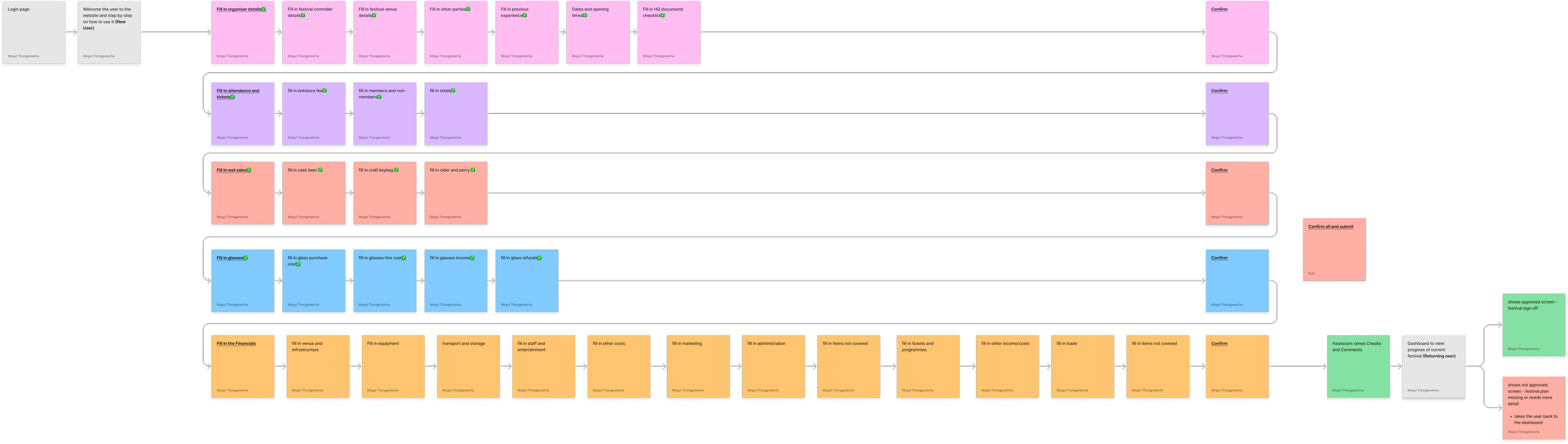
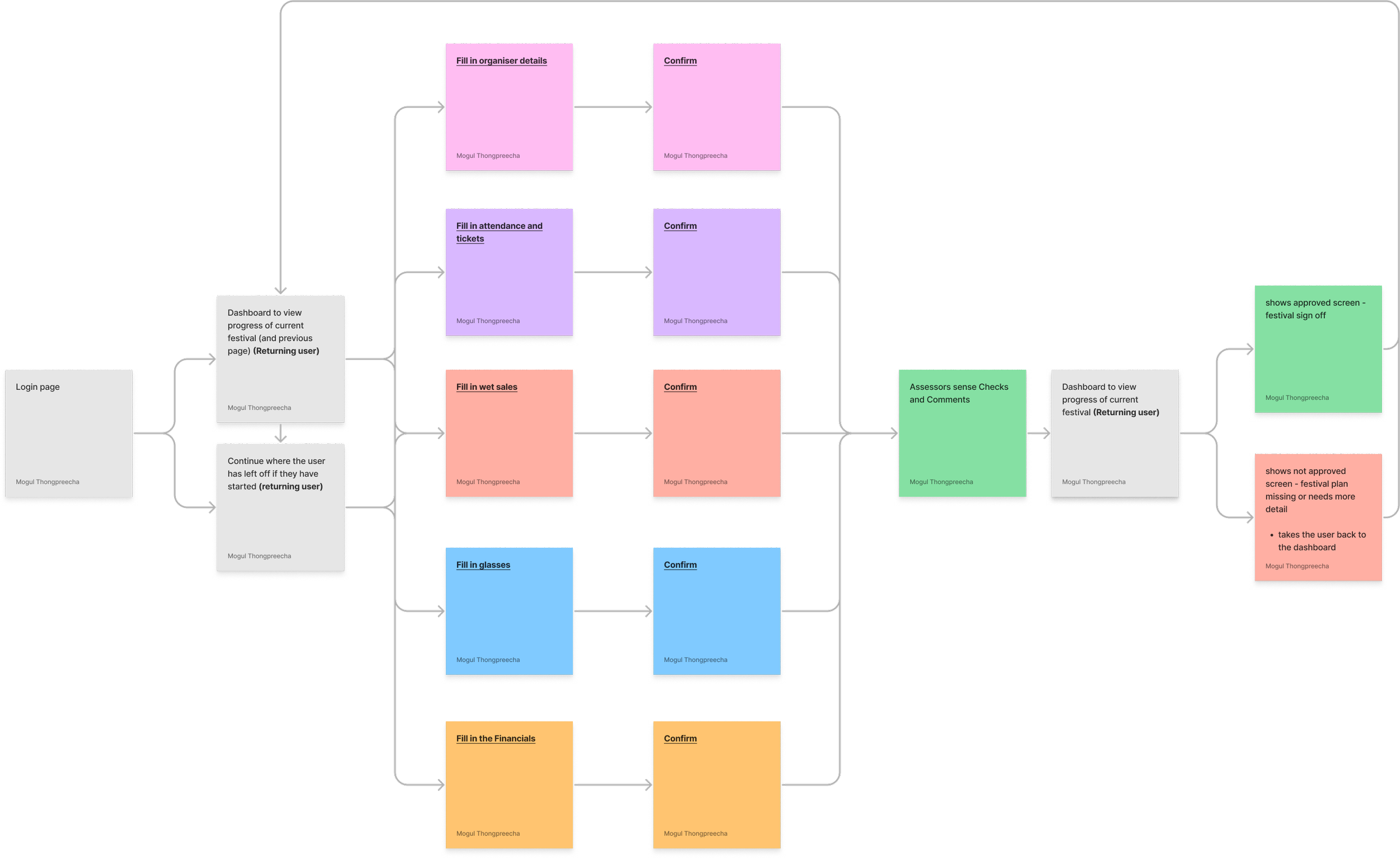
From understanding of the new user journey, I realised the Returning User Journey would be slightly different. The Branch Volunteer would need a dashboard page or the option to continue where they left off.
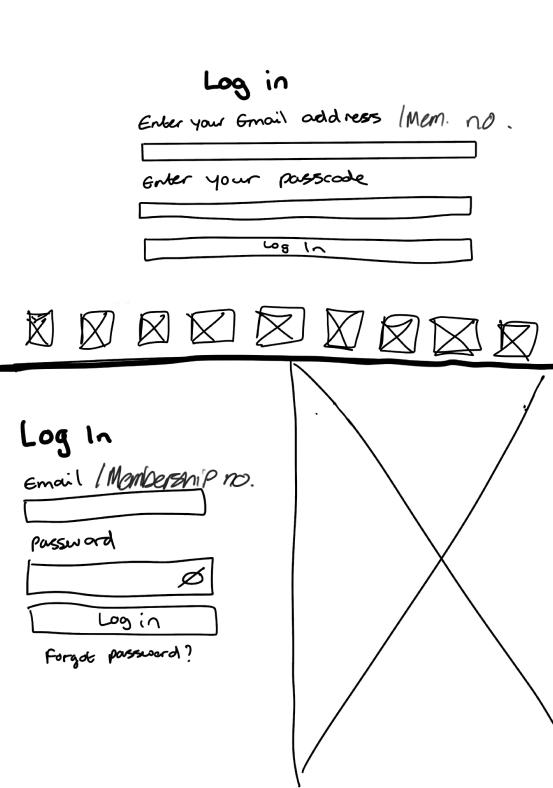
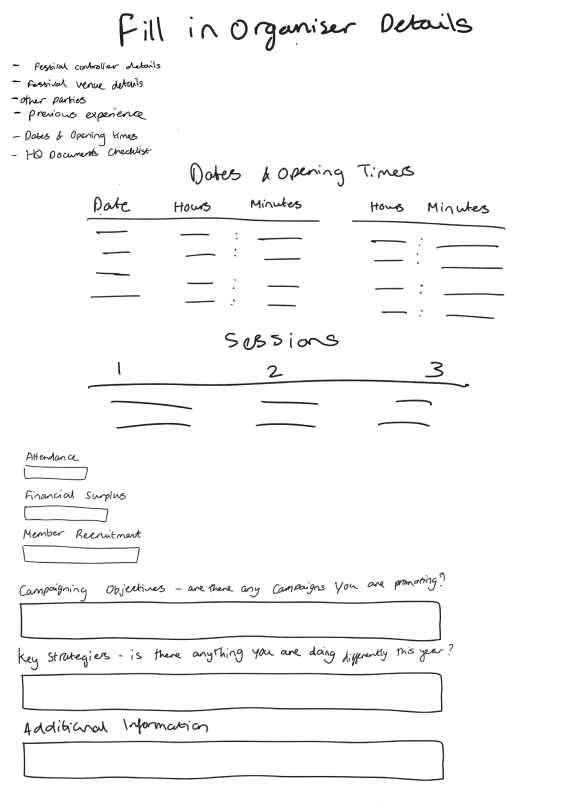
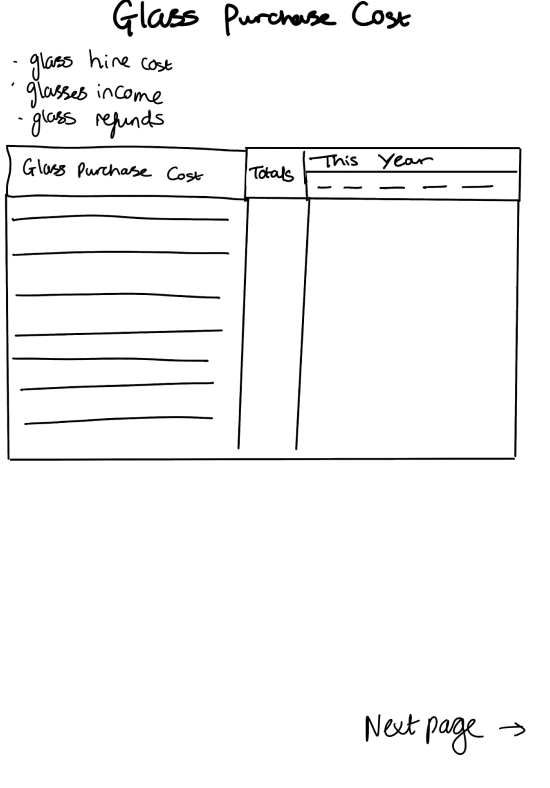
Low-fidelity wireframes
I used this design method as I learned that this was the quickest way to get feedback and make changes.
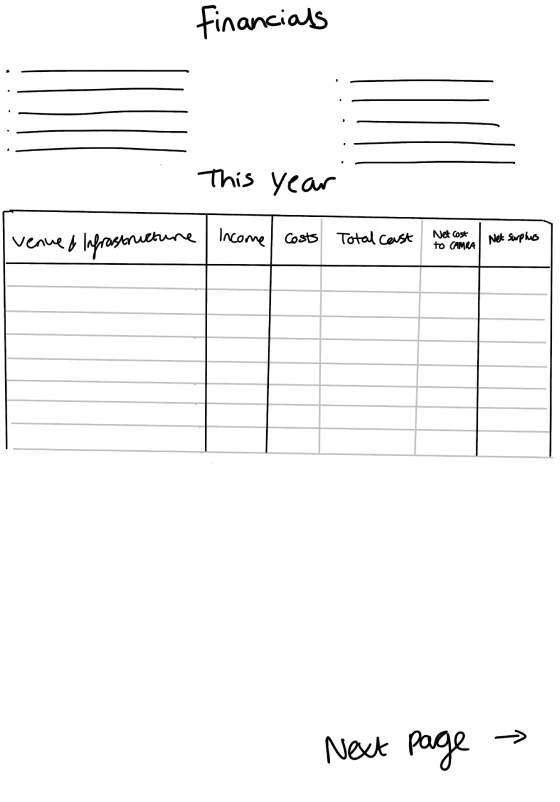
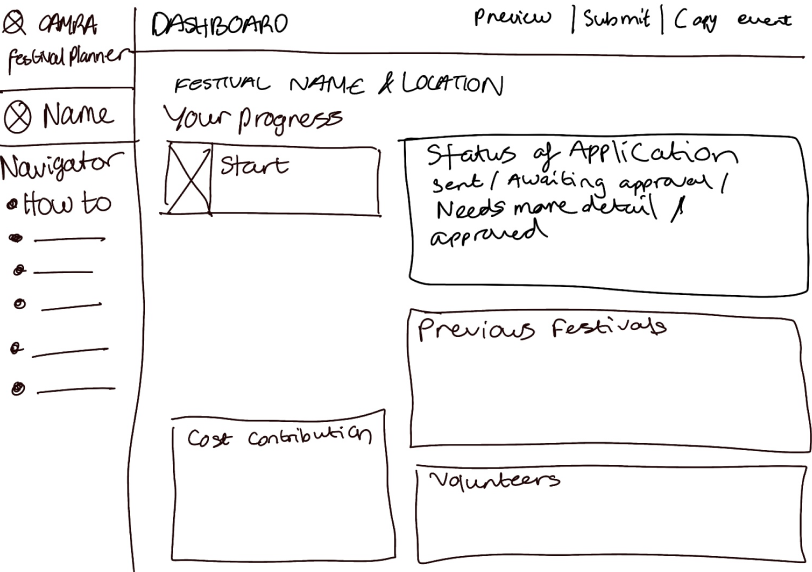
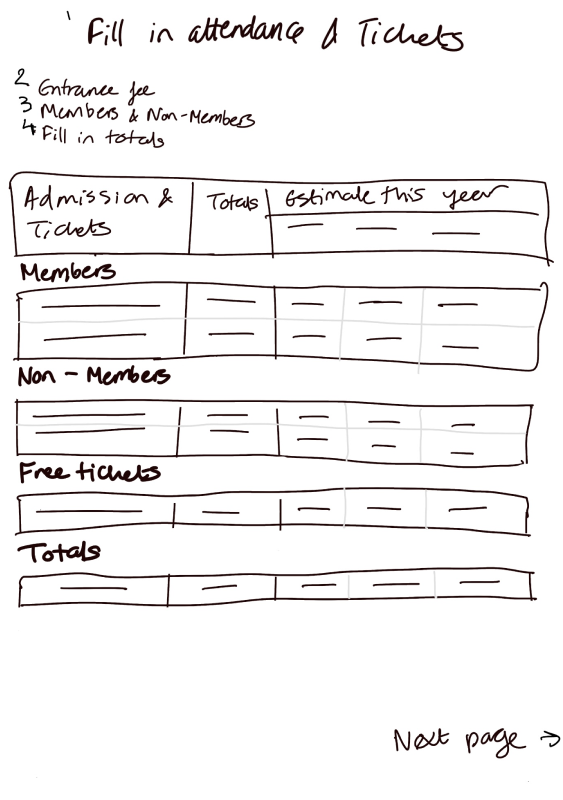
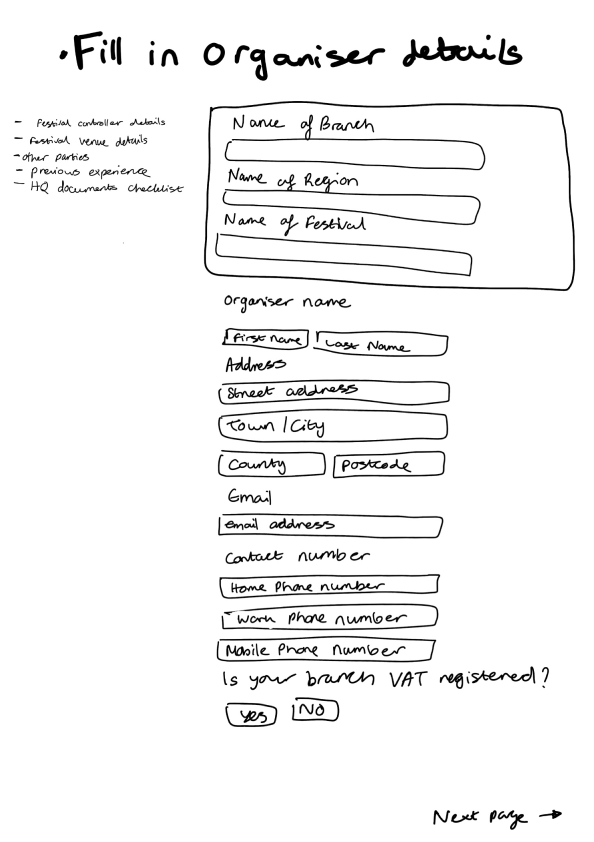
Design decisions
General Visual Design Elements I included:
Established an information hierarchy to prevent users from feeling overwhelmed, ensuring they can easily find what they need through:
Typography sizes and weight
Colour contrast
Icons
Why I used Source San’s Pro as the typeface?
Has a variety of text styles – To establish hierarchy
Has a corporate identity - Used by numerous organisations displaying professionalism
It is an open source font - collaboration is easier as there would be no need to download the font externally
Navigation bar
Allows Volunteer organisers and Assessors to easily access different sections

Final Design
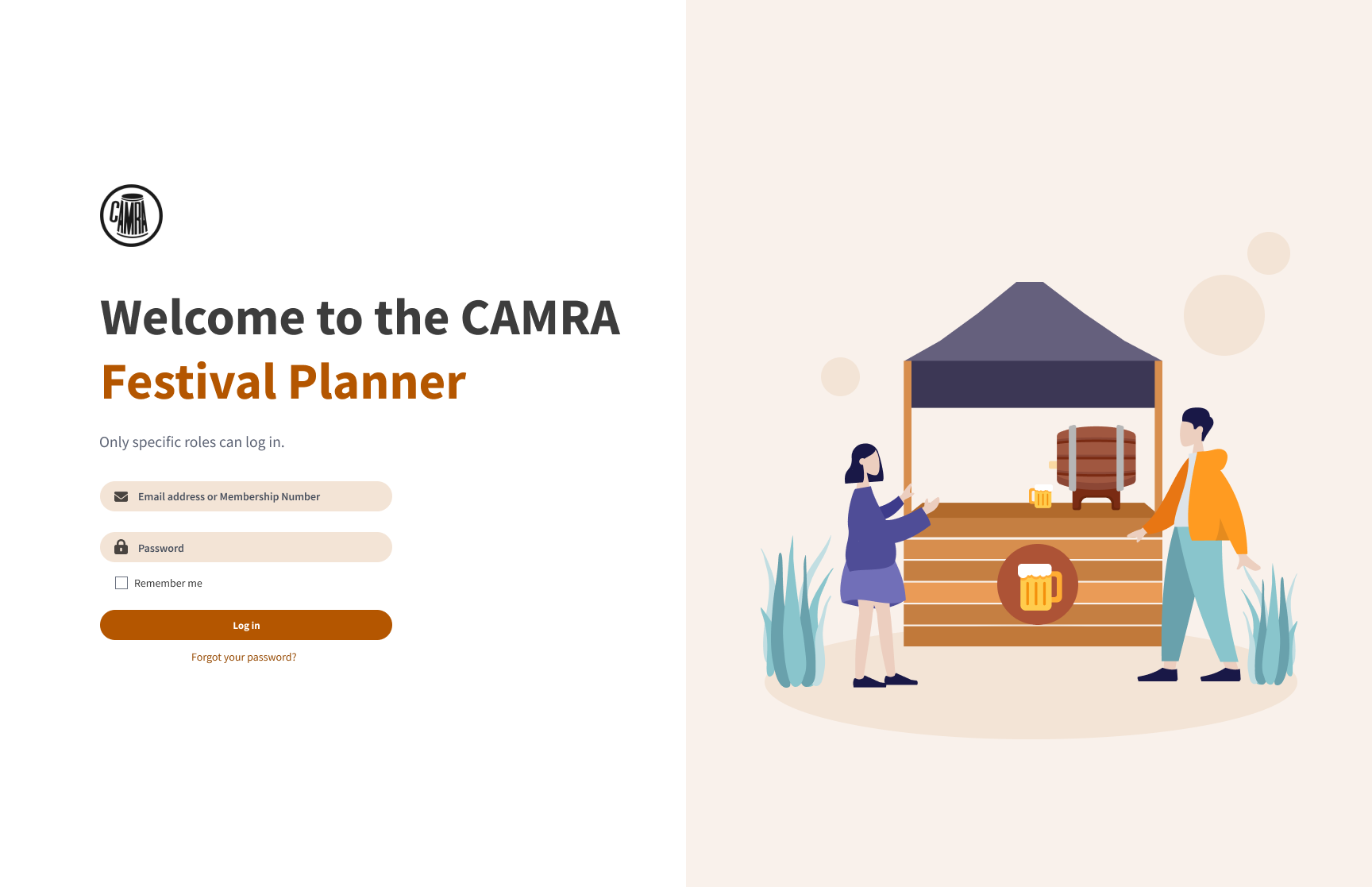
✅ Appealing log in page with orange and purple tones to welcome the Volunteer
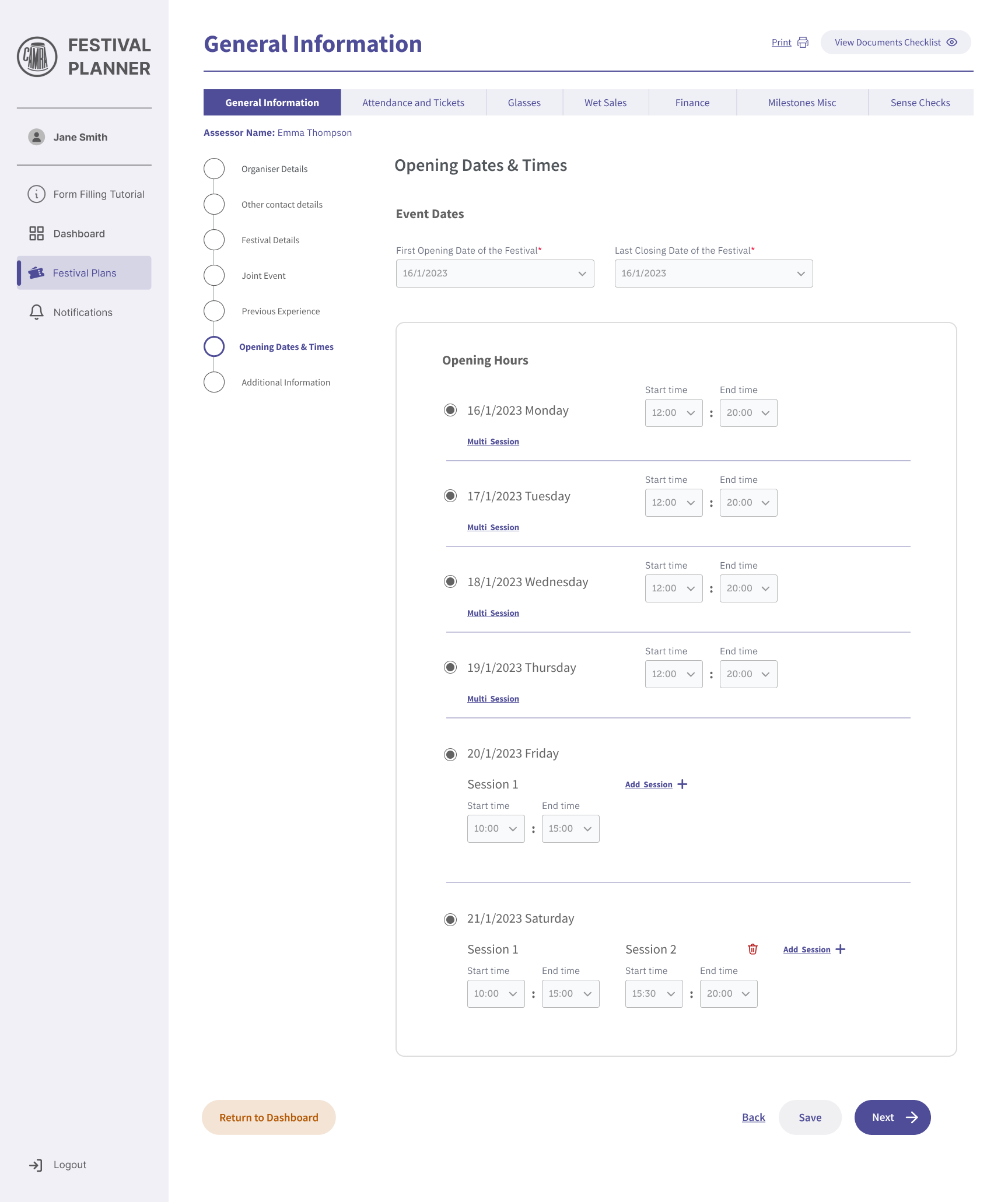
✅ Added advances settings such as:
Being able to select start and end times and apply them to multiple days - as opposed to filling each day out manually
Being able to add sessions
✅ Visual Design: Familiarity
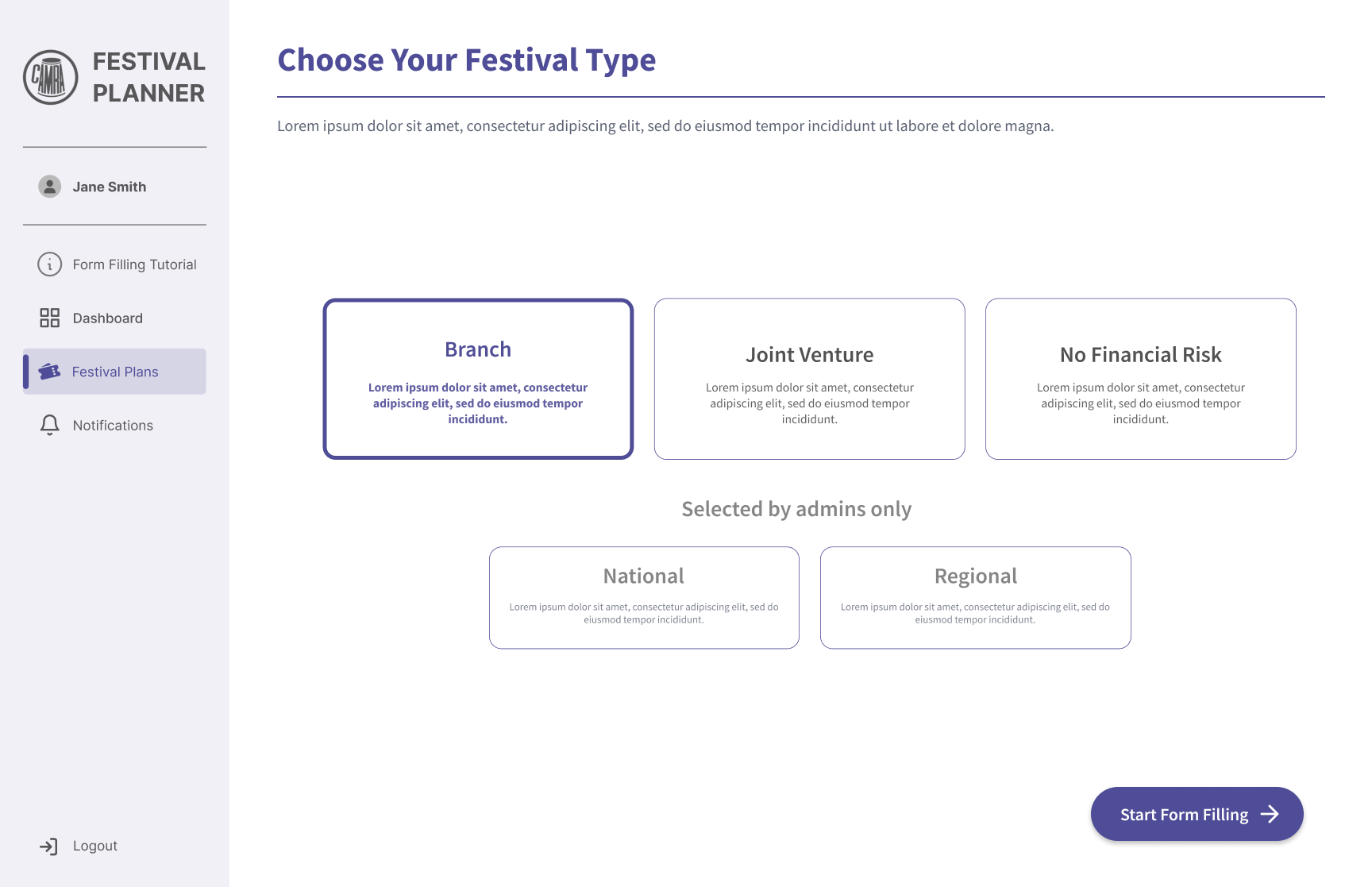
✅ Added an onboarding journey for volunteers and new administrators to reduce the learning curve
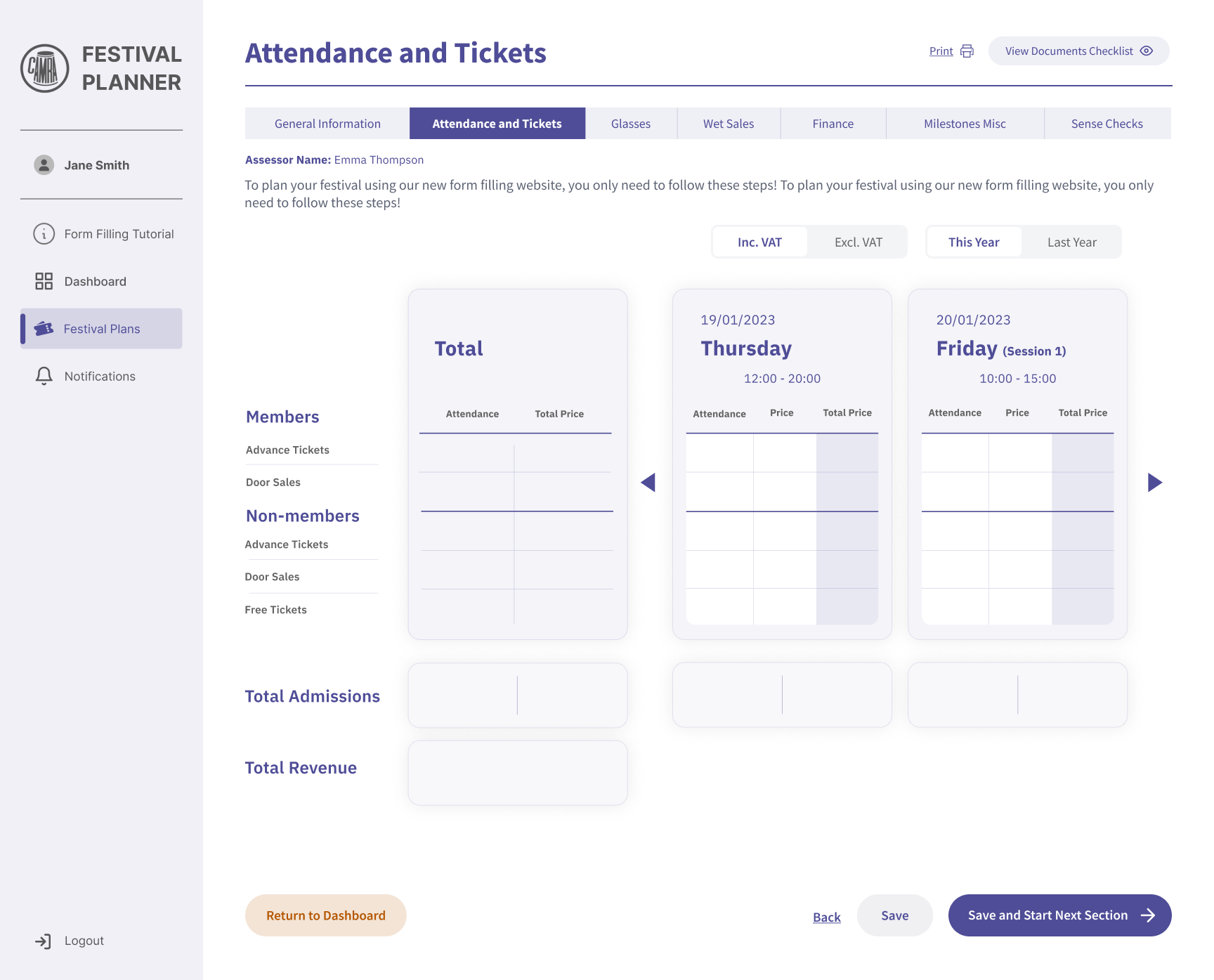
✅ Similarly to Excel, this platform provides an automatic estimate - when the volunteer puts a certain number in “attendance” and “price”, the total price changes
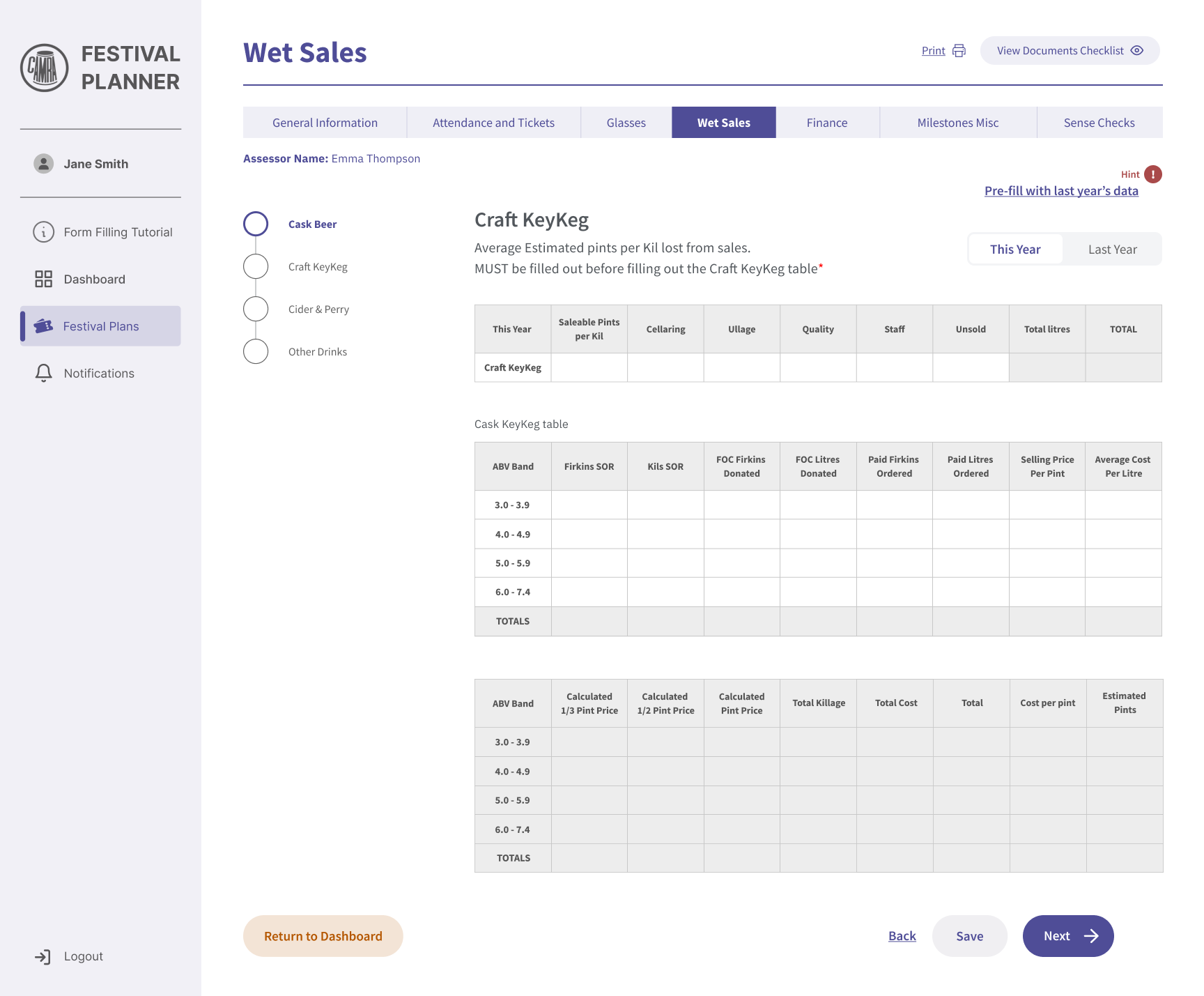
Incorporate familiar Excel-like elements as some Organisers may be accustomed to working with Excel.
“This Year” and “Last Year” toggle button for ease of switching without having to scroll over
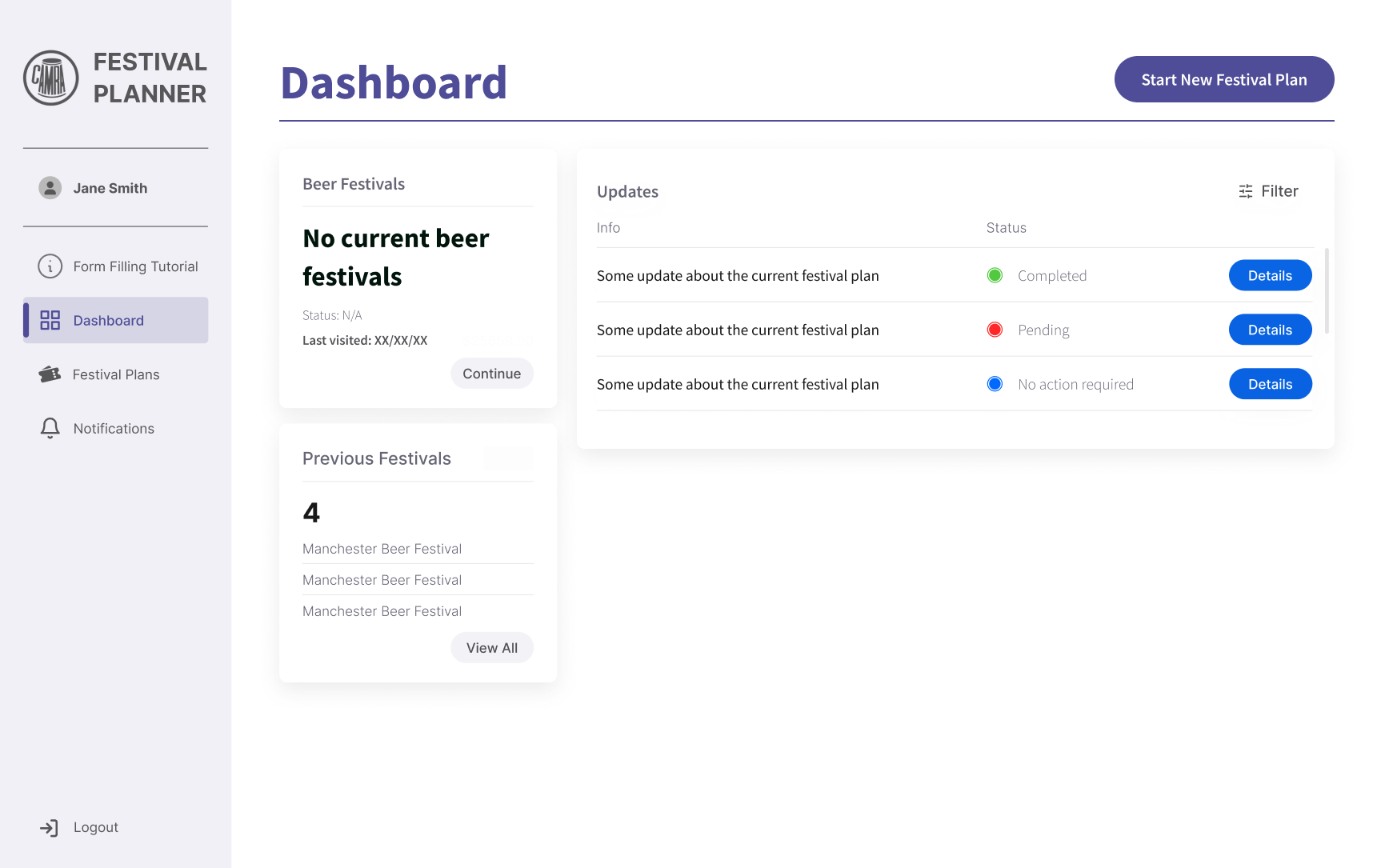
✅ Dashboard allows the volunteer to:
Start a Festival Plan
View their previously planned festivals
See the live status on their Festival application
This applies to returning Volunteers
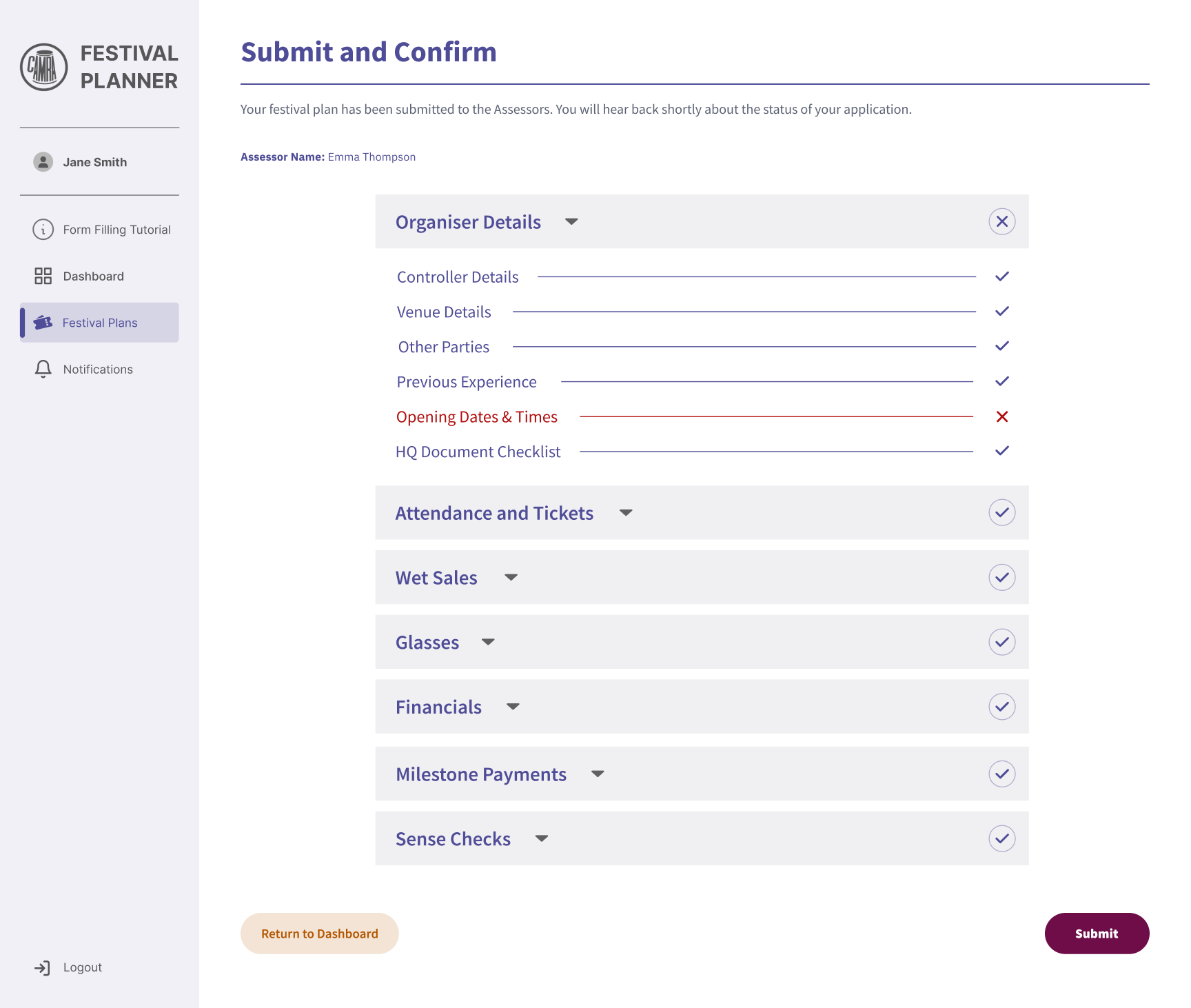
✅ Enable the user to review and return to complete sections
Excel sheet table layout